Welcome to Drivable – Getting Started
How to set up Drivable: welcome screen, language selection, location and notifications.
1
The Welcome Screen
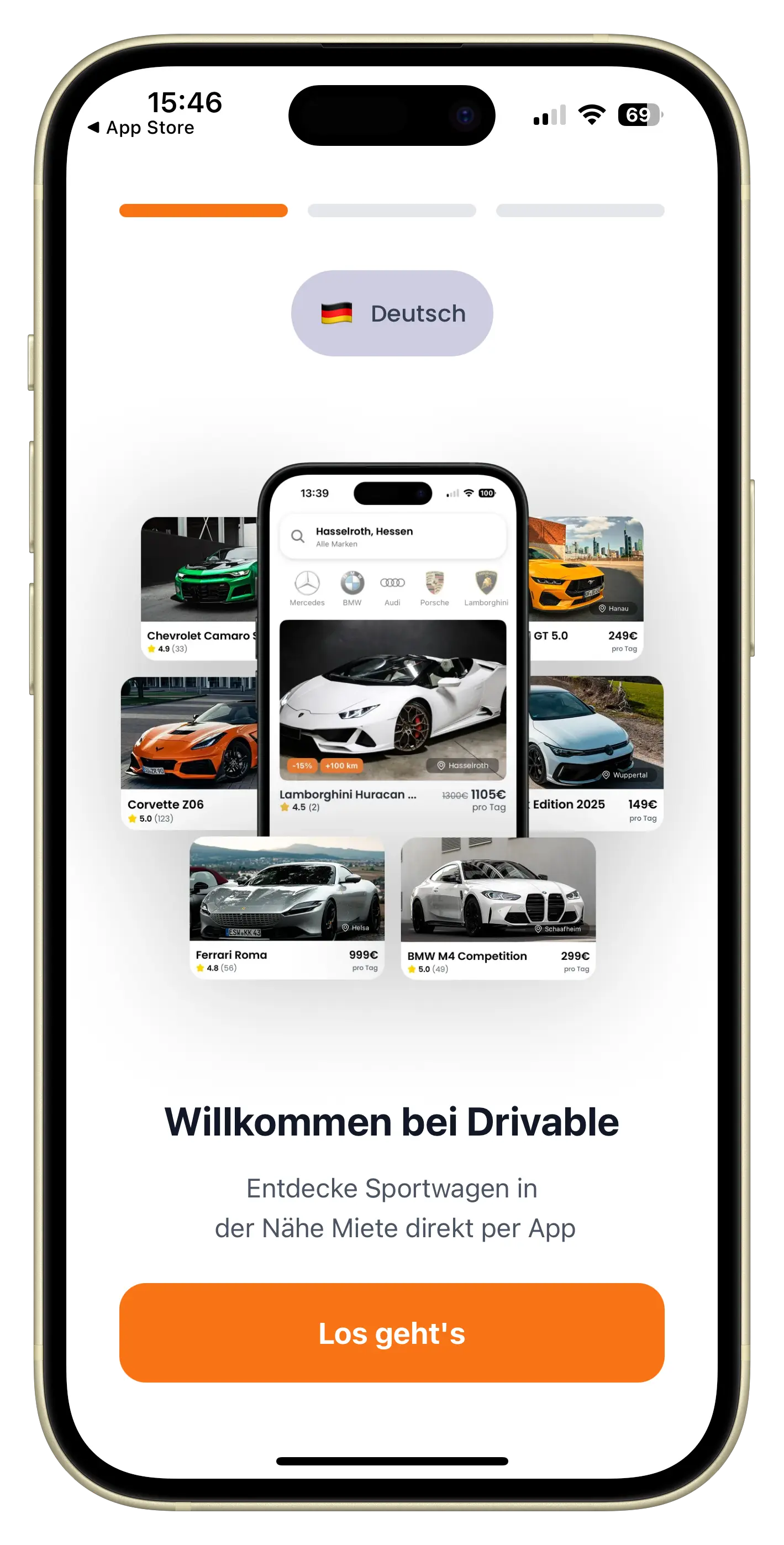
When you open the app for the first time, you land on the welcome screen.
You can already see vehicles near you.
The app automatically detects your language based on your location.
Tap "Let's go" to start the setup.
2
Choose your language
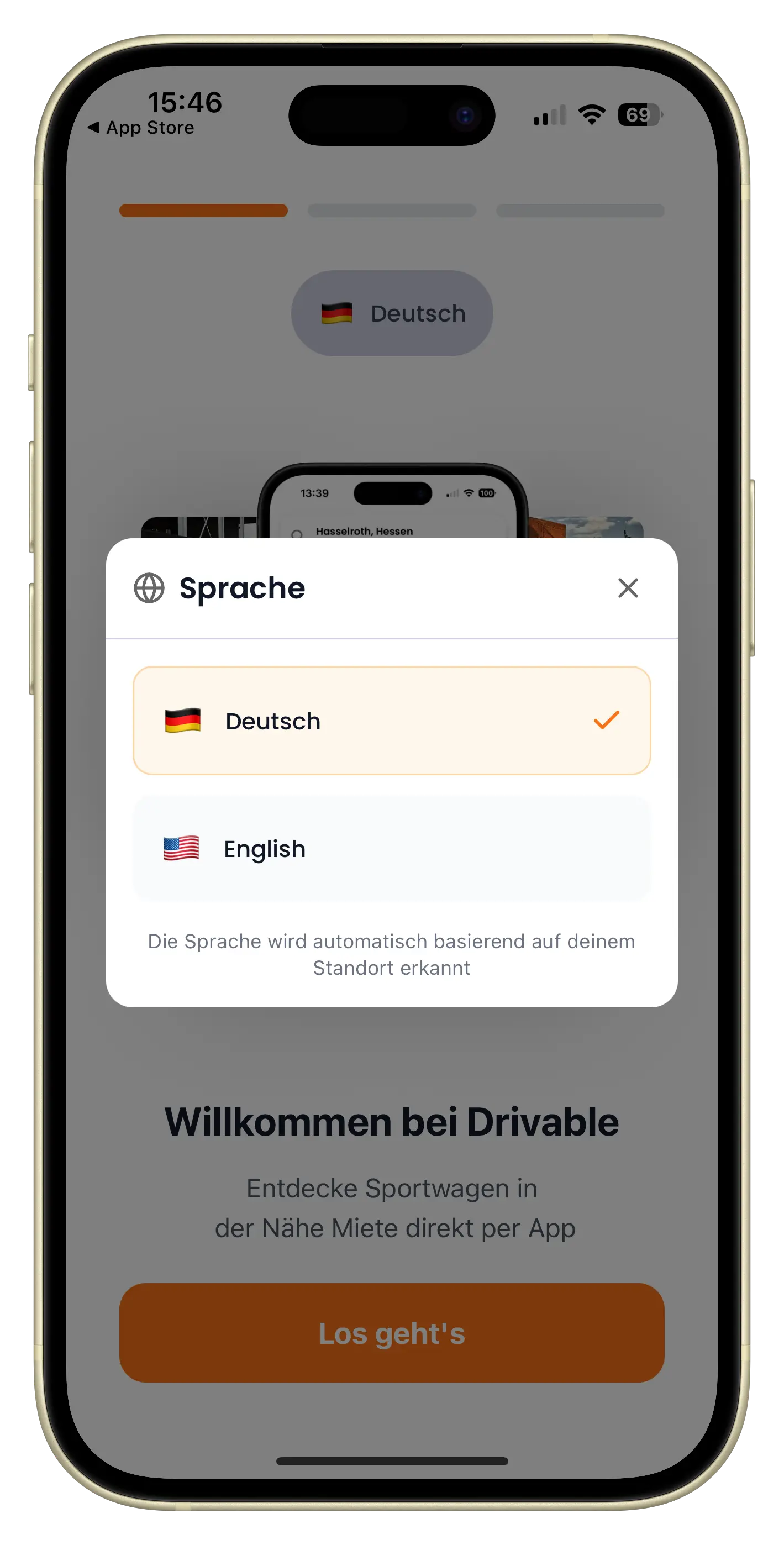
The app is available in German and English.
➡️Tap the language selector at the top to open the menu.
Your language choice applies to the entire app, including notifications and emails. If you change your mind, you can update the language later in Settings.
3
Allow location access
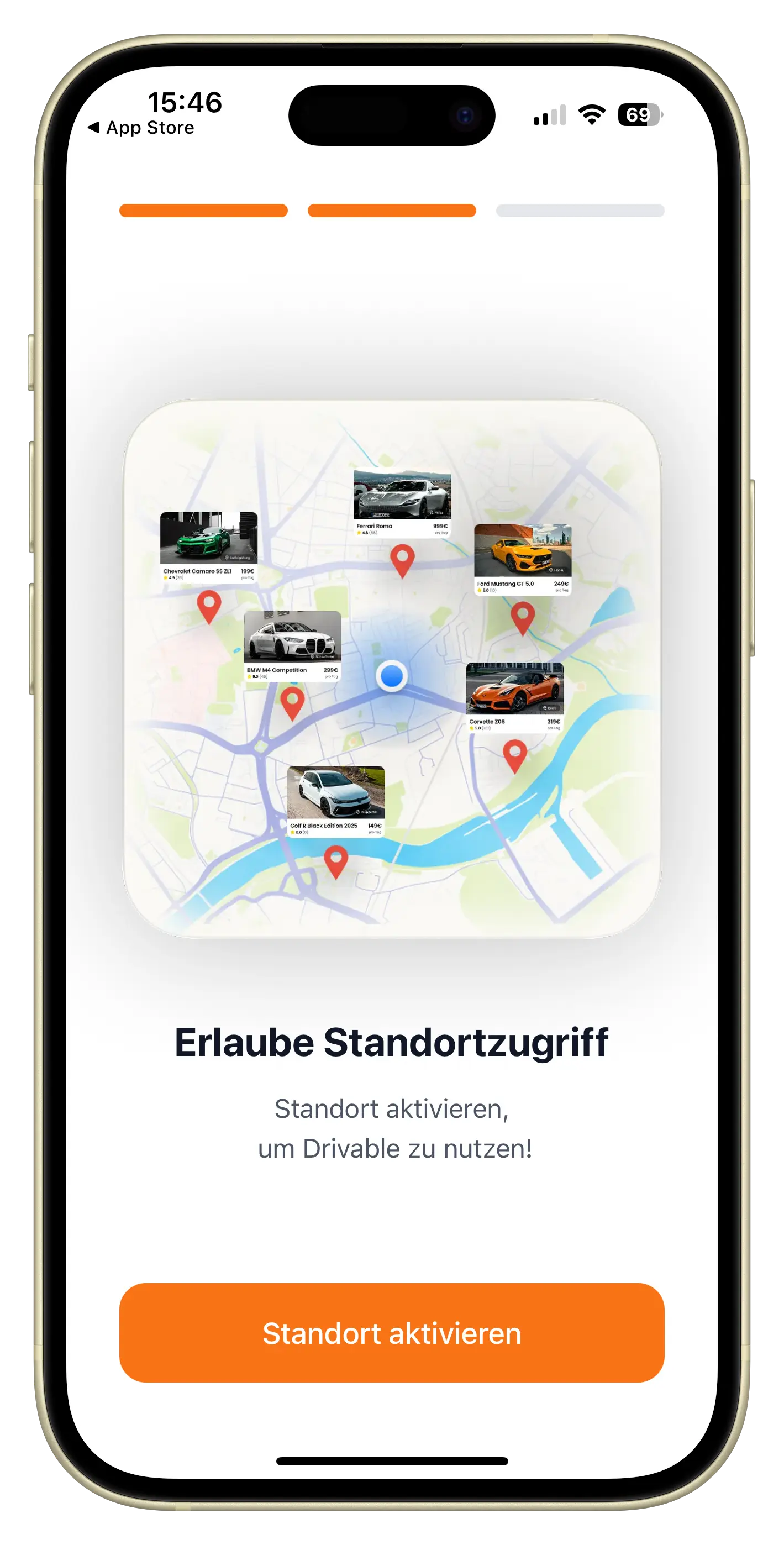
Without your location, Drivable doesn't know which cars are near you. That's why the app will ask next. Tap "Enable location" to grant access.
- You only see vehicles that are genuinely available in your area
- If a host can deliver their car, delivery costs are calculated based on the distance
- Each car shows how far it is from you
Your location is required to use Drivable. No other user or host can see where you are. It's only used for search results and distance calculations. Optionally, your location can also be used for vehicle deliveries!
4
Allow notifications
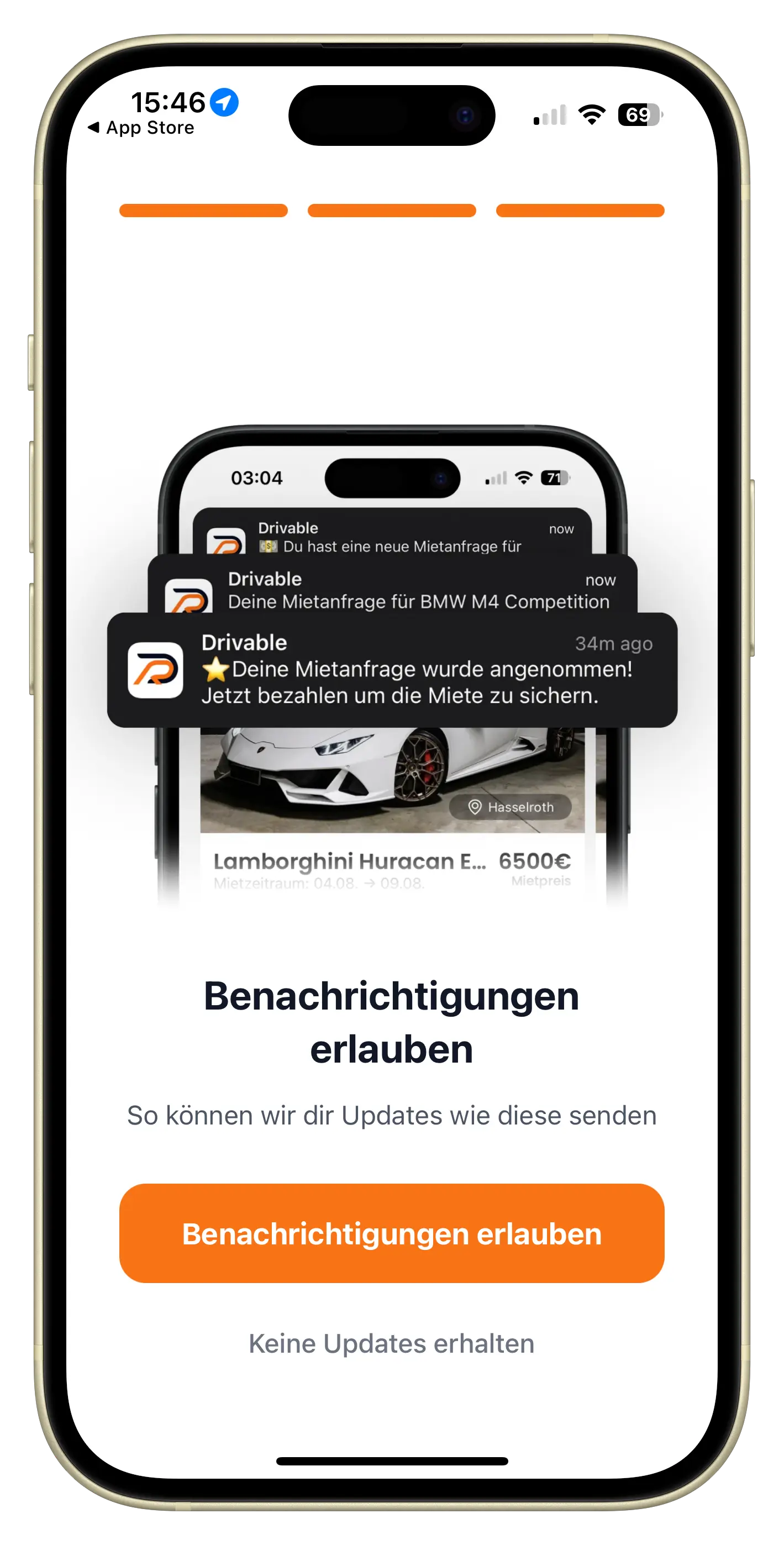
Finally, the app will ask about push notifications.
This way you won't miss any replies from hosts or renters, and you'll stay on top of your bookings.
- When a host accepts or declines your request
- New chat messages about your bookings
- Reminders before your booking starts and ends
- Occasional news about discounts and promotions
Keep your booking and chat notifications on. You can adjust them at any time in the app under Profile → Settings, or in your phone's system settings.
What's next?
That's the setup done. You'll land on the home screen where you can see cars near you straight away. Using the search, you can filter by make, model or specific location.
Frequently asked questions

Drivable Team
Help & Support
Das Drivable Team erklärt dir Schritt für Schritt, wie du die Plattform und App nutzen kannst.
16. März 2026
War dieser Artikel hilfreich?