Cancel or withdraw a request
You've requested a car but changed your mind? Here's how to withdraw a request. As long as you haven't paid yet, it's always completely free — whether the host has already accepted or not.
Plans change. Maybe you requested a car and then realised shortly after that you don't need it after all. Or the host has already accepted your request, but you've had a change of heart. In either case, you can simply withdraw the request (which is the same as cancelling it). As long as you haven't paid yet, this won't cost you a thing.
One important thing to know: withdrawing is only possible as long as you haven't paid for the booking yet. Once you pay for an accepted request, it becomes a confirmed booking. From that point on, the host's cancellation policy applies — which is a different matter from the free withdrawal.
- Withdrawing a request before the host has accepted
- Withdrawing an accepted request before you've paid
- Selecting a reason and confirming the withdrawal
- What applies after payment and where to find the cancellation policy
1
Withdrawing a request that hasn't been accepted yet
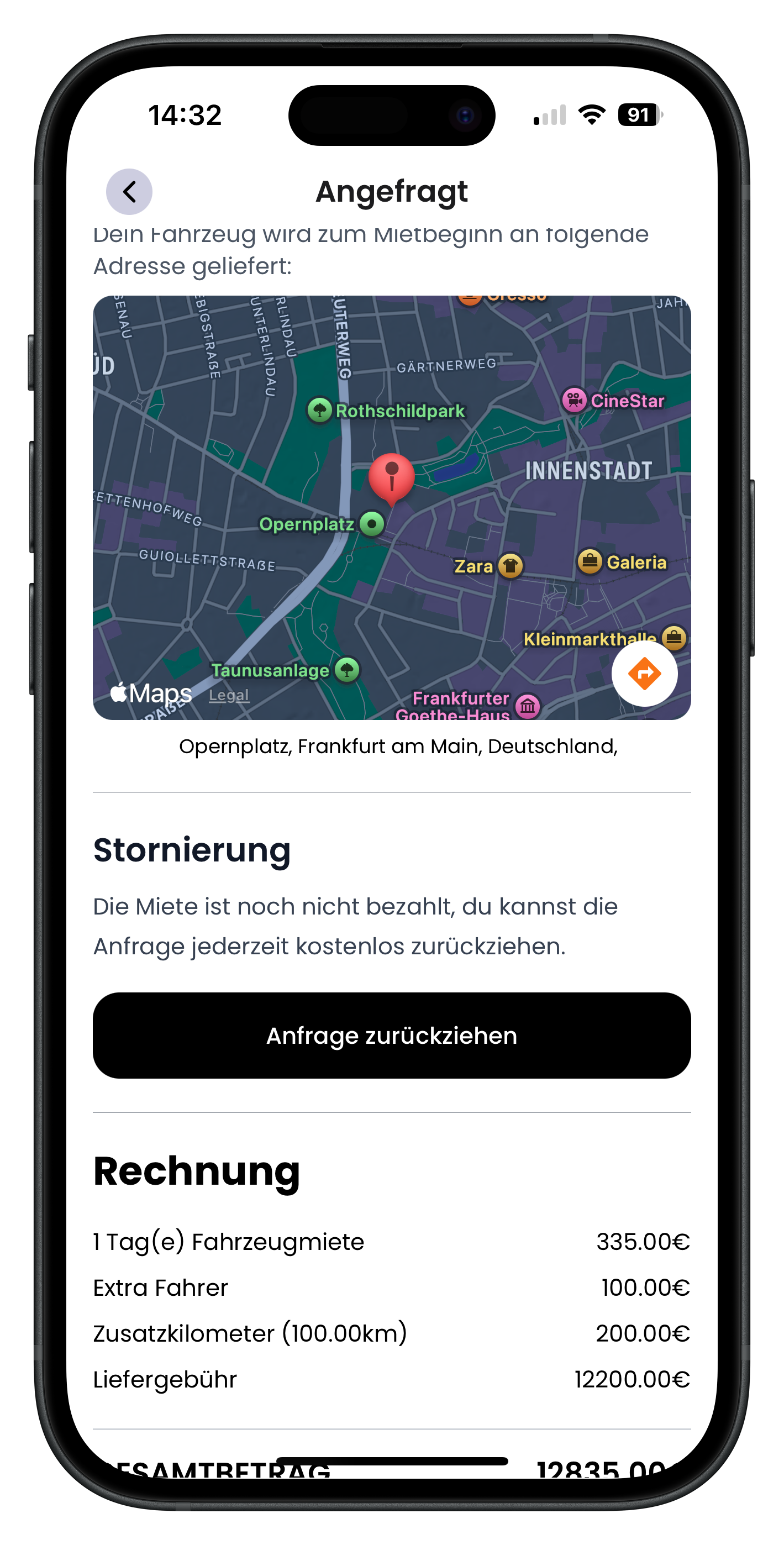
Right after you submit a request, you land on the Requested screen. At the top you'll see the handover address on the map, and further down there's a Cancellation section. It reads: "The booking hasn't been paid yet — you can withdraw your request at any time for free." Tap the black "Withdraw request" button to get started. The invoice below shows a breakdown of all charges, such as the vehicle rental, extra driver, or delivery fee.
- This screen appears as long as the host hasn't accepted your request yet
- No charges apply, because you haven't paid anything yet
- The same process applies if the request has already been accepted
2
Withdrawing an accepted request before you've paid
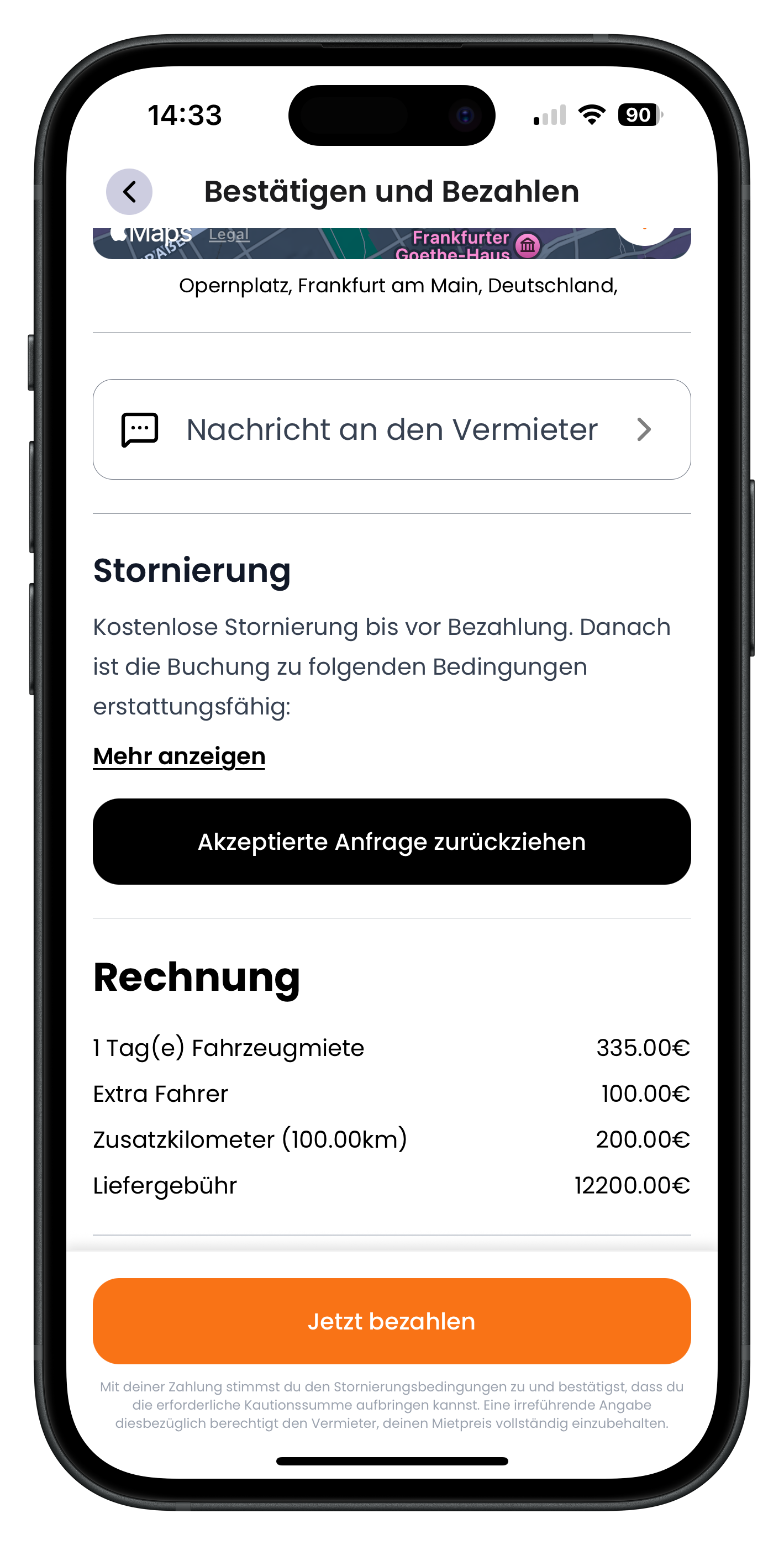
If the host has already accepted your request, the screen is called Confirm and Pay. From here you could tap the orange "Pay now" button to confirm the booking. If you don't want to do that, scroll down to the Cancellation section. It reads "Free cancellation until payment. After that, the booking is refundable under the following conditions" with a "Show more" link. Instead, tap the black "Withdraw accepted request" button.
- As long as you haven't tapped Pay now, withdrawing is free
- The black button is in the Cancellation section — not the orange Pay button
- You can use the Message host option to clear up any open questions first
Wondering how a request is made in the first place? We explain it step by step under Request a vehicle. And to find out how an accepted request becomes a confirmed booking, see Pay for your booking.
3
Selecting a reason for withdrawing
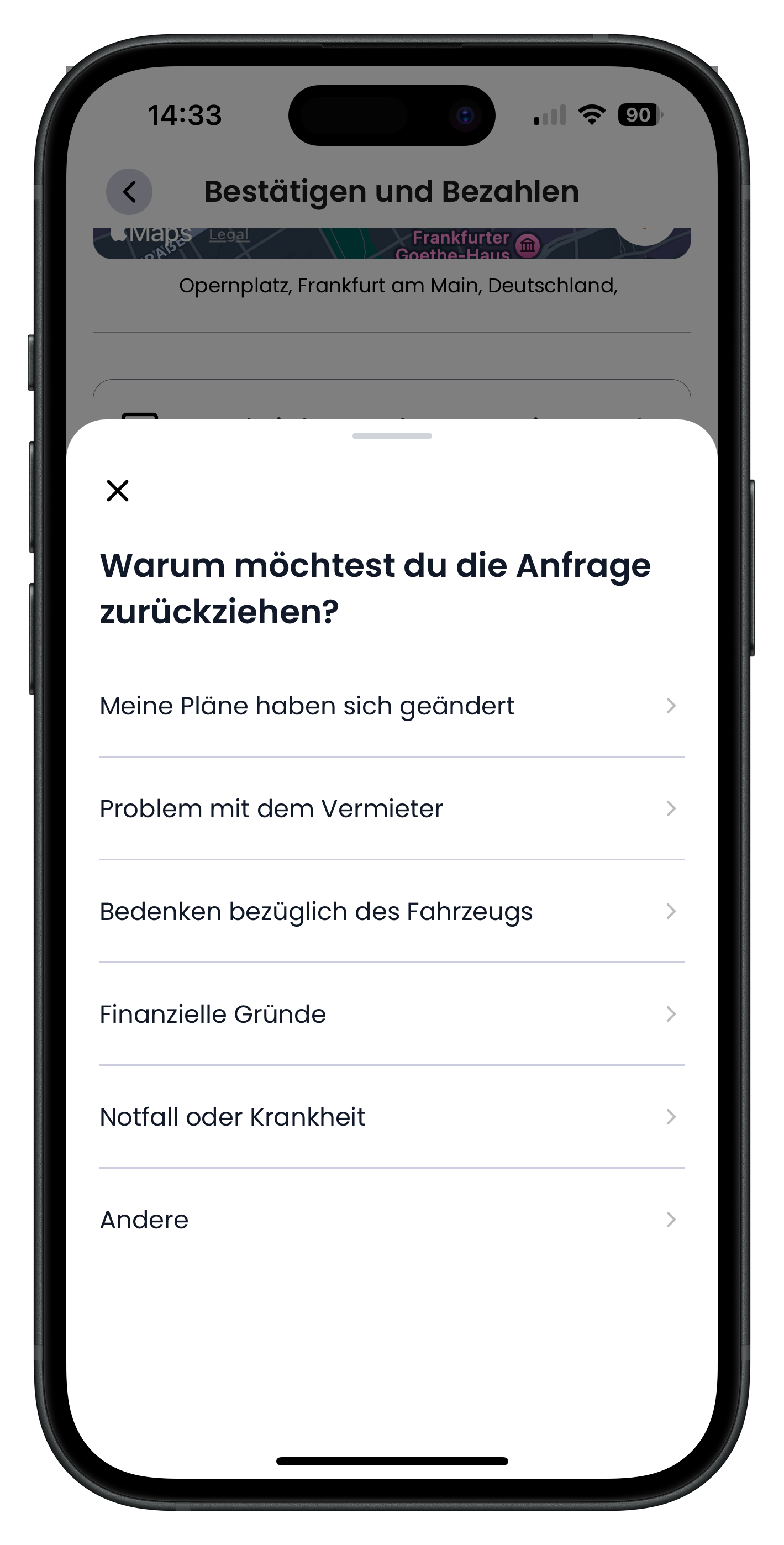
After tapping, a panel slides up from the bottom asking "Why do you want to withdraw your request?". You can choose from several reasons: My plans have changed, Issue with the host, Concerns about the vehicle, Financial reasons, Emergency or illness, or Other. Just tap whichever reason fits best. Whichever you choose, it's still free.
- Your answer helps the host and us improve the app
- Tap the X in the top left to close the panel if you've changed your mind about withdrawing
- Your selection has no effect on the cost — withdrawing is always free
4
Selecting a more specific reason
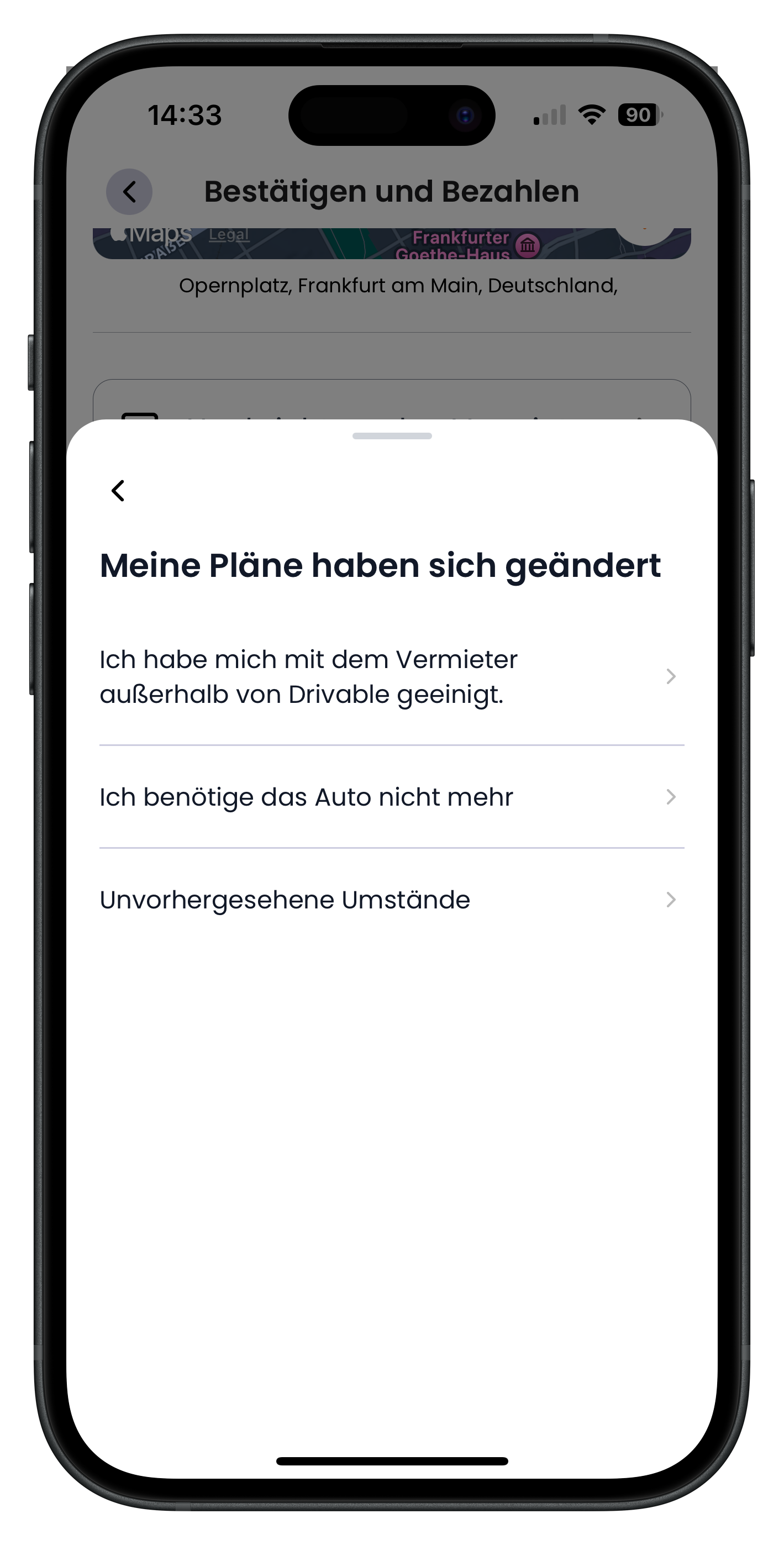
Depending on your reason, the app may ask a follow-up question. For "My plans have changed", for example, you'll see the options "I arranged something with the host outside of Drivable", "I no longer need the car", and "Unforeseen circumstances". Select whichever applies best. Use the back arrow in the top left to return to the previous step at any time.
- Bookings and payments should always stay within the Drivable app — this protects you
- Not every main reason has sub-options; in that case you'll move straight on
- Use the back arrow in the top left to change your selection
5
Confirming the withdrawal
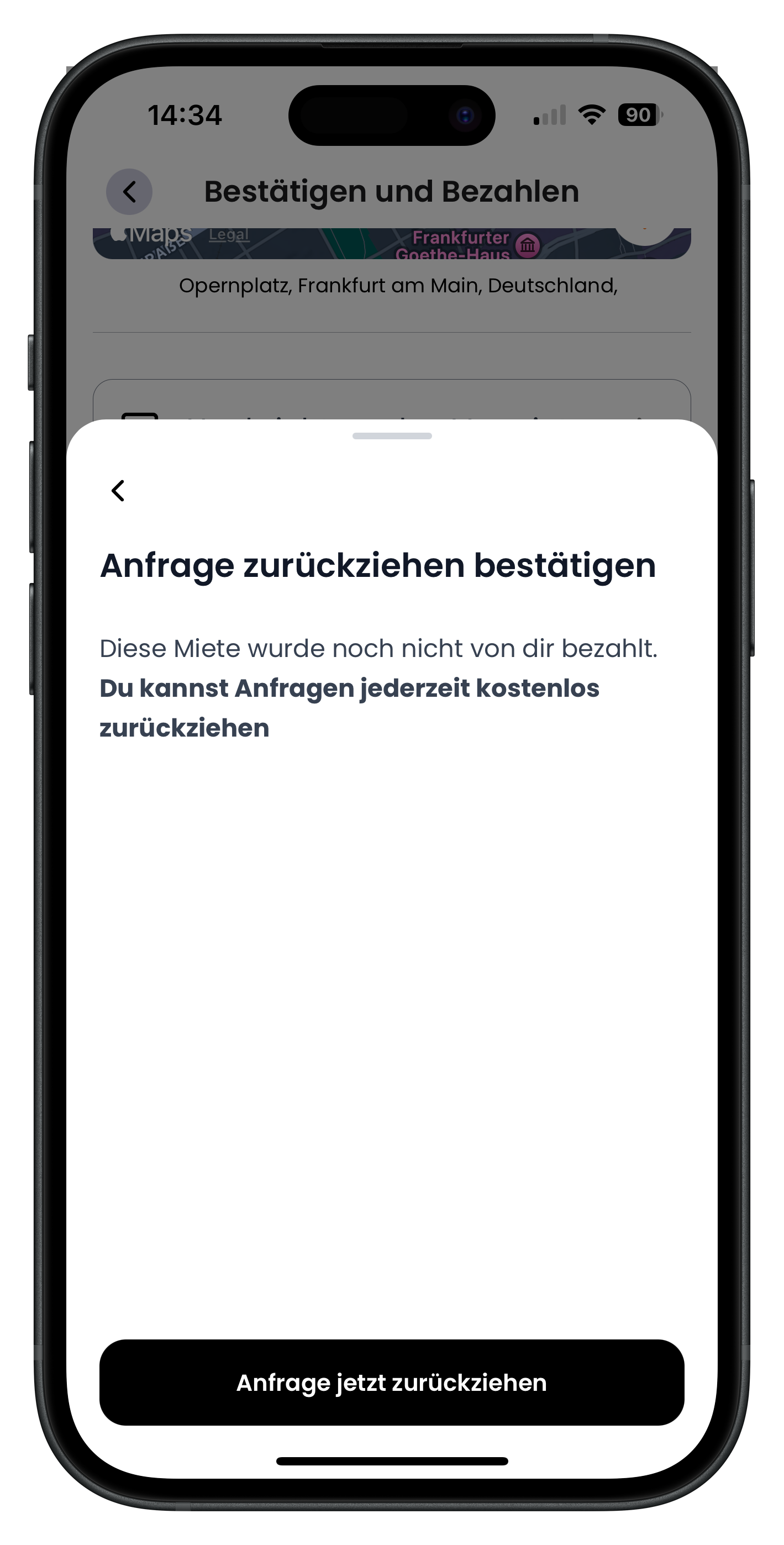
Finally, the "Confirm withdrawal" screen appears. It clearly states once more: "You haven't paid for this booking yet. You can withdraw requests at any time for free." When you're sure, tap the black "Withdraw request now" button at the bottom. This permanently withdraws the request.
- This is the last step — nothing irreversible happens before this point
- The notice confirms once again that no charges will apply
- You can still tap the back arrow in the top left to cancel
6
Confirmation: request withdrawn
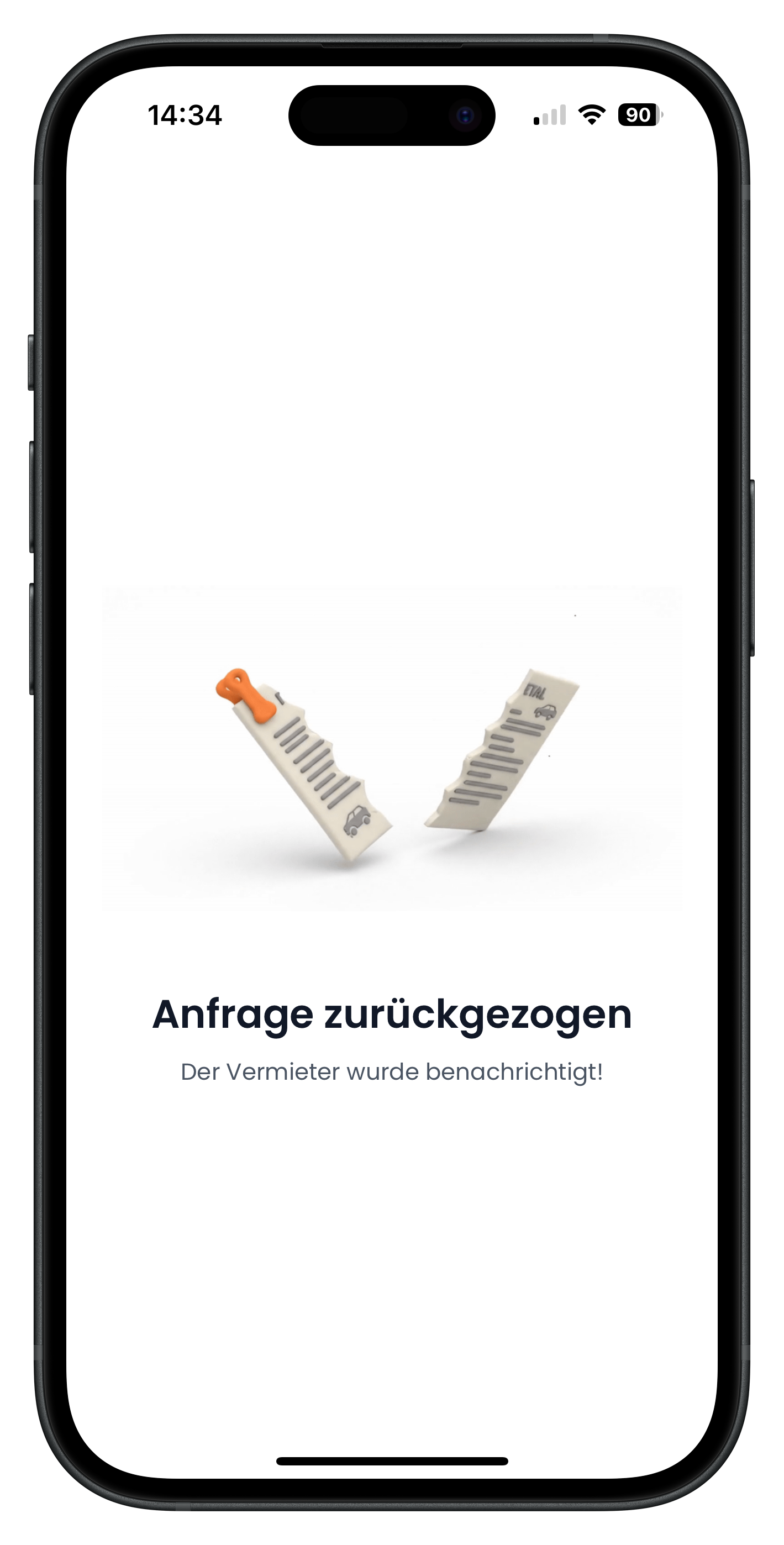
You'll then see the success message "Request withdrawn" along with the note "The host has been notified!". That's all there is to it. The request is done and the host has been informed. You can search for a new car and send a fresh request whenever you like.
- The host is notified automatically — you don't need to contact them yourself
- Nothing has been charged, since you hadn't paid
- You can request the same vehicle or a different one again at any time
Once you've paid for an accepted request, it's no longer a request — it's a confirmed booking. At that point, the free withdrawal no longer applies; instead, the host's individual cancellation policy takes effect. You'll find the relevant policy on the vehicle listing. For more details, see The listing explained.
Next steps
Changed your mind and want to keep the car? Head over to Pay for your booking to confirm your booking. Or start fresh and use Request a vehicle to send a request for a different model.
Frequently asked questions

Drivable Team
Help & Support
Das Drivable Team erklärt dir Schritt für Schritt, wie du die Plattform und App nutzen kannst.
21. Juni 2026
War dieser Artikel hilfreich?